Table of Contents
Introduction
The LISNR Radius Android SDK enables Android applications to reliably send and receive ultrasonic data payloads using LISNR technology. The Radius SDK allows you to control how frequently you send data, what your application should do once sending data has completed, how long to listen for incoming data, what your application should do once data has been received, and more.
If you are new to the LISNR Radius product, it is recommended that you read our Radius SDK Concepts Overview section below but if you already understand Radius concepts or you want to get started quickly, visit our Code Examples section to see how to utilize the Radius SDK in an Android app.
The minimum supported Android version for the LISNR Radius Android SDK is 4.4 (KitKat).
See Also:
- Code Examples
- Audio Configuration and Hardware
- Tone Signal Strength & Quality
- Developer Best Practices
- Release Notes
- Known Issues
Radius SDK Concepts Overview
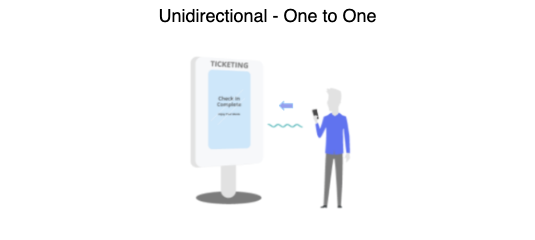
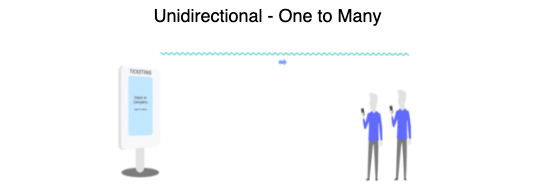
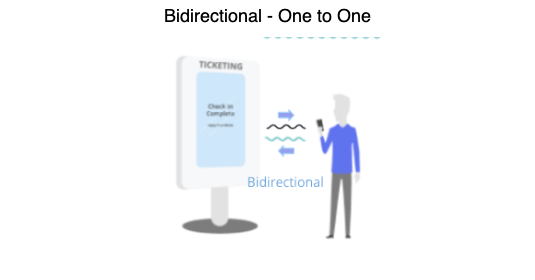
An ultrasonic transaction is the exchange of data in the form of broadcasting a data payload over sound with a speaker to a receiving microphone that can detect and demodulate the payload. The LISNR Radius SDK provides the ability to create one to one or one to many ultrasonic transactions at long or short distances. These transactions can be unidirectional with one Transmitter and one or more Receivers. Or they can be bidirectional using two Transceivers.
Main SDK Classes
There are five main classes involved in the usage of the LISNR Radius Android SDK:
- com.lisnr.radius.Radius - A single instance of this class serves as the manager for instances of com.lisnr.radius.Transmitter(s), com.lisnr.radius.Receiver(s), and com.lisnr.radius.Transceiver(s). The Radius object must be authenticated with an SDK Token provided in the LISNR Portal.
- com.lisnr.radius.Transmitter - Used to transmit unidirectional ultrasonic Tones for a provided tone profile, either as single transmissions (see com.lisnr.radius.Transmitter.transmit) or as repeating beacon transmissions (see com.lisnr.radius.Transmitter.beacon).
- com.lisnr.radius.Receiver - Used to receive unidirectional ultrasonic Tones for a provided tone profile.
- com.lisnr.radius.Transceiver - Used to transmit and receive bidirectional ultrasonic Tones simultaneously on separate frequencies. Frequencies are determined by transceiver type which represents a combination of transmitting tone profile and receiving tone profile.
- com.lisnr.radius.Tone - Represents ultrasonic data as Tone objects.
Unidirectional - Transmitters and Receiver Objects
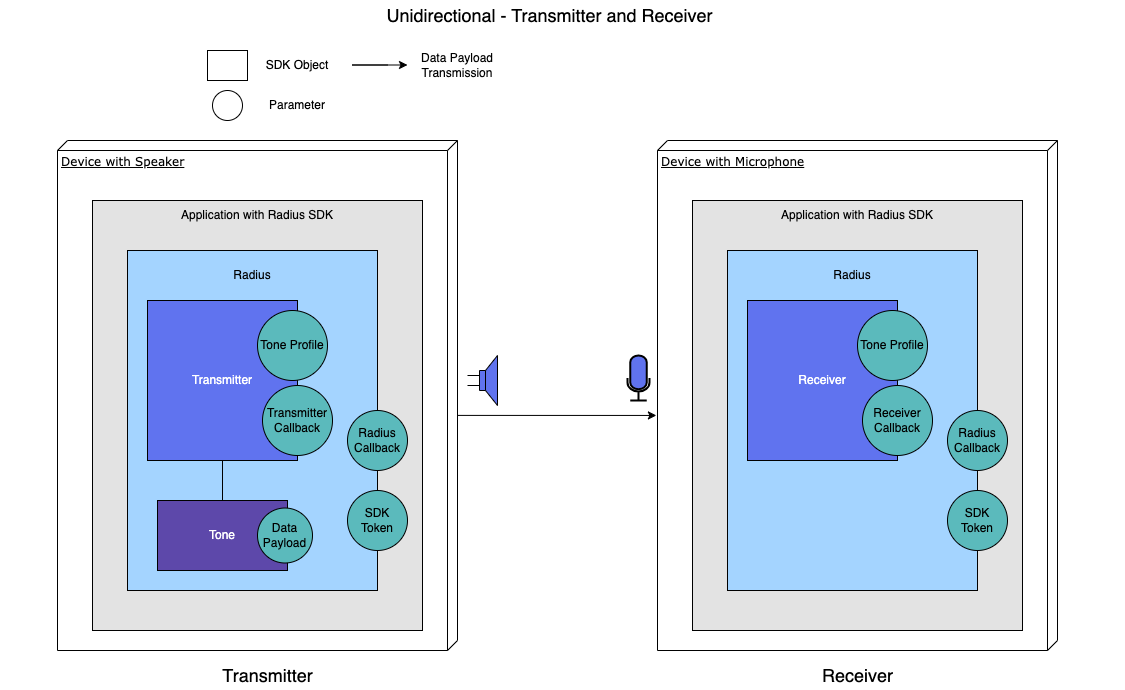
Using the Radius SDK for a unidirectional transaction means you are sending data one way, from the Transmitter to the Receiver. The Transmitter and Receivers either exist within two separate applications (ex. Merchant and Client applications) or in separate sections of the application. When you create a Transmitter or Receiver object, you must supply it with appropriate callbacks (see Callbacks section below) and a tone profile. Callbacks are used similarly to iOS delegates in the Radius SDK which should be noted when referencing the diagram below. Receivers can only receive/demodulate incoming transmissions from Transmitters if they are both created with the same tone profile.
Tone Objects
Tone objects are created with a byte array of the data you want to transmit. When you start broadcasting with a Transmitter (or Transceiver), you must supply it with a Tone object. Once the Tone is created and used in a method by a Transmitter, the Tone object will have the same tone profile as the Transmitter.
When you listen for Tones with a Receiver, the objects you will receive are Tone objects. A received Tone will contain its data payload along with signal-to-noise ratio and error vector magnitude values that indicate how easy or difficult it was to detect the Tone object. For more details around these values, see our Signal Strength & Quality section.
The contents of a Tone (when creating a Tone using the constructor or when retrieving a Tone's contents with the com.lisnr.radius.Tone.getData method) will always result in a byte array. If the desire is to transmit/receive ASCII text with a Tone, see our Convert Payload Data section for how to convert ASCII text to a byte array and vice versa.
Tone Profiles
A Tone holds data to be transmitted as sound. The profile of a Tone defines how the Tone is encoded into audio for transmission. Tone profiles are an important part of the Radius SDK. They determine the effective distance the Tone can travel, the amount of movement allowed by the transmitting/receiving devices, along with the throughput (transmission speed) of a single data transmission.
The LISNR Radius SDK provides the developer with access to several different options for tone profiles. Detailed information about the available tone profiles and their characteristics are listed below:
- Standard2 - effective across long distances and challenging environments.
- Standard2 Wideband - uses the same principles of design as Standard2, but spreads tones across multiple frequency channels, allowing for doubled throughput with potentially reduced effective range.
- Precision KAB2 (PKAB2) - designed for short range (under 1 meter) and high throughput.
- Note: PKAB2 is more sensitive to movement than our other tone profiles. Significant movement of the speaker or microphone may cause issues with detection.
- Note: PKAB2 is a directional tone and requires line-of-sight between the transmitting speaker and receiving microphone. Ensure that the speaker and microphone are angled toward each other without obstruction.
- Precision KAB2 (PKAB2) Wideband - uses the same principles of design as PKAB2, but spreads tones across multiple frequency channels, allowing for doubled throughput with somewhat shorter effective range.
| Profile Name | Standard2 | Standard2 Wideband | Precision KAB2 | Precision KAB2 Wideband |
|---|---|---|---|---|
| Profile String | standard2 | standard2_wideband | pkab2 | pkab2_wideband |
| Maximum Payload Size | 255 bytes | 255 bytes | 3000 bytes | 3000 bytes |
| Transmission Overhead | 1.495 seconds | 0.775 seconds | 0.209 seconds | 0.157 seconds |
| Data Throughput | 33.3 bits / second | 66.6 bits / second | 1000 bits / second | 2000 bits / second |
| Lowest Frequency | 18.375 kHz | 18.375 kHz | 18 kHz | 16.7 kHz |
| Highest Frequency | 19.575 kHz | 19.575 kHz | 19.2 kHz | 19 kHz |
| Audible | No | No | No | No |
| Typical Range | Mid/Long | Mid/Long | Short | Short |
Callbacks
Callbacks in Android are methods that get called when an event occurs. The callbacks in the Radius SDK are where logic can be added by a developer to determine what your application should do with a Tone when it is finished transmitting or when it gets detected. In order to create an object of the Receiver and Transmitter classes, an instance of a class that implements the respective callback interface (ReceiverCallback or TransmitterCallback) must be provided.
The com.lisnr.radius.Transmitter.TransmitterCallback interface has two methods that both can be used to respond to events related to Tone transmission. The two methods are:
- com.lisnr.radius.Transmitter.TransmitterCallback.onTransmitComplete - called every time a Tone has finished broadcasting from the corresponding Transmitter.
- com.lisnr.radius.Transmitter.TransmitterCallback.onTransmitterEmpty - called when a beaconing Transmitter has finished its last transmission.
The ReceiverCallback interface only has one method called com.lisnr.radius.Receiver.ReceiverCallback.onToneReceived. This is typically the most important in any Radius application because it is called when a Receiver detects a Tone from a Transmitter. Any received Tone data alteration, validation, or parsing can be implemented by the developer within this method.
The com.lisnr.radius.Transceiver.TransceiverCallback interface is a combination of the Transmitter and Receiver callback methods. These will determine both what will occur when a Transceiver transmits a Tone and when a Transceiver receives a Tone broadcast from another Transceiver.
Bidirectional - Transceiver Objects
The remaining sections are for bidirectional usage. If your implementation is unidirectional only, you can stop here and follow the code example on this page: Hello World - Unidirectional Transmitter and Receiver
Using the Radius SDK for a bidirectional transaction means you are sending data payloads back and forth between two separate devices (two Transceivers) that are both simultaneously transmitting and receiving. Separate, non-overlapping frequencies are used for each side of the communication (see image below - blue frequency, red frequency). Bidirectional transactions should always be used in a one to one transaction.
Typically when communicating between two Transceivers, either both Transceivers start out broadcasting or predefined roles specific to the implementation will determine which Transceiver will start broadcasting and which one will detect then respond.
When you create a Transceiver object, you must supply it with the appropriate callback (see Callbacks section above) and a transceiver type. Two Transceivers will only work with one another if they are created with compatible transceiver types.

Transceiver Types
Since Transceivers are both transmitting and receiving, two tone profiles need to be selected for a single Transceiver; one for the transmitting tone profile and one for the receiving tone profile. This pair of tone profiles to be used with a single Transceiver is called a transceiver type. When creating Transceivers using the Radius SDK, you will have to specify which transceiver type you want to utilize.
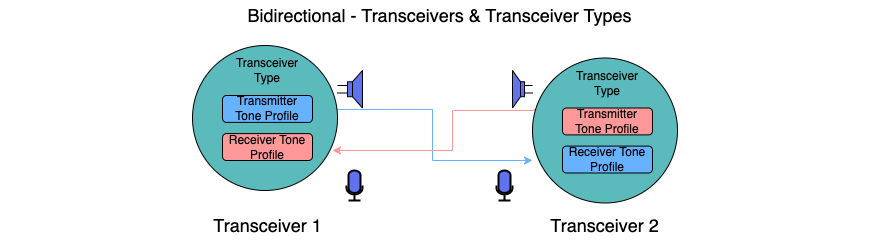
In the chart below, you can see the different transceiver types and their corresponding tone profiles. When creating two Transceivers, in order for them to successfully communicate with one another, they must be using compatible transceiver types. For example, if you have one Transceiver created with the STANDARD_WIDEBAND_SEND_PKAB_RECEIVE transceiver type, it can only communicate with another Transceiver created with the PKAB_SEND_STANDARD_WIDEBAND_RECEIVE transceiver type. If you have one Transceiver created with the PKAB_LOWER_SEND_PKAB_HIGHER_RECEIVE transceiver type, it can only communicate with another Transceiver created with the PKAB_HIGHER_SEND_PKAB_LOWER_RECEIVE transceiver type.
| Transceiver Type | Transmitting Tone Profile | Receiving Tone Profile |
|---|---|---|
| STANDARD_WIDEBAND_SEND_PKAB_RECEIVE | Standard2_Wideband | PKAB2 |
| PKAB_SEND_STANDARD_WIDEBAND_RECEIVE | PKAB2 | Standard2_Wideband |
| PKAB_LOWER_SEND_PKAB_HIGHER_RECEIVE | PKAB2 | PKAB2 |
| PKAB_HIGHER_SEND_PKAB_LOWER_RECEIVE | PKAB2 | PKAB2 |